
Acme Corp, Acme Germany, Acme UK. None of them linked.

The weekly batch is full of subsidiaries
Reps get Acme Germany as a new prospect. Someone on the team already sells to Acme.

Reports show ten small accounts
Pipeline sits on loose records. Nobody sees the real size of the account.

An AI guess you can’t check
A model picks a parent with no reason attached. A wrong tree is expensive to unwind later.
Sorting this by hand stops working on a real-sized account list. Domain rules catch most of it. The leftovers need a person.
What you get
A suggested parent, with the reason next to it.
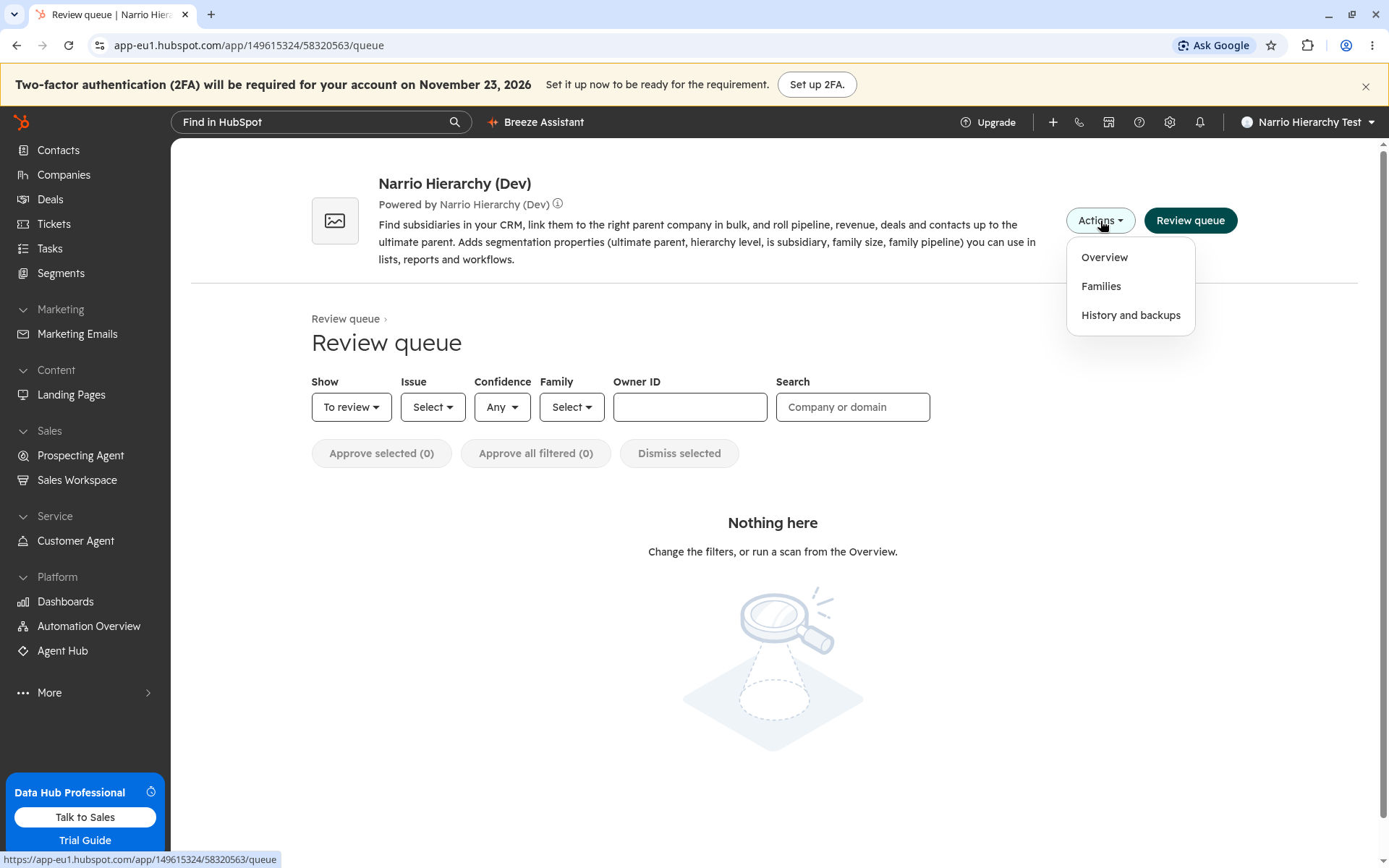
Every suggestion lands in one review queue. You decide what gets written.
- A score and a plain reason“uk.acme.com is a subdomain of acme.com.” That one scores 95%.
- Approve in bulk or one by oneApprove everything at 90% or above. Dismissed pairs stay dismissed on the next scan.
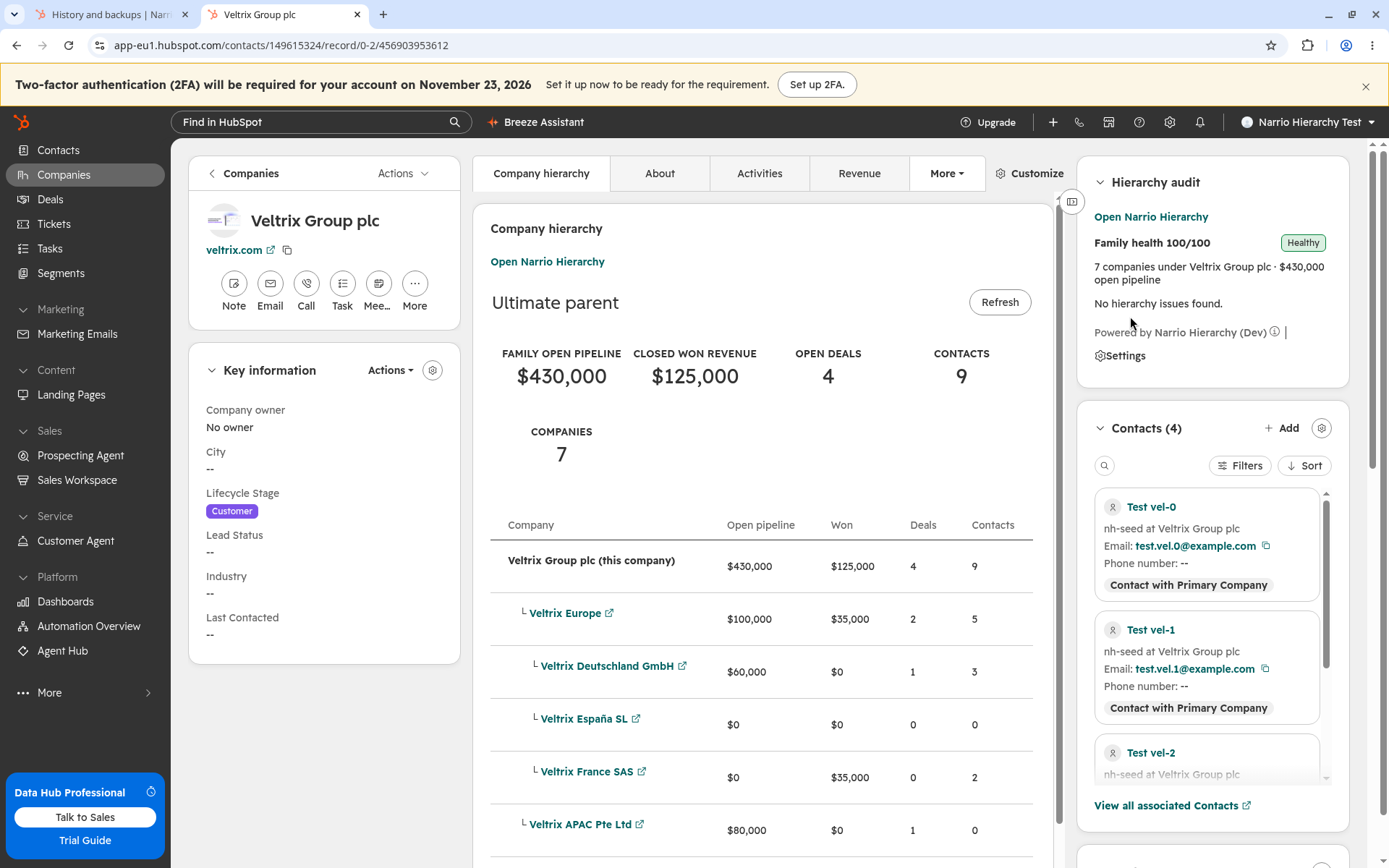
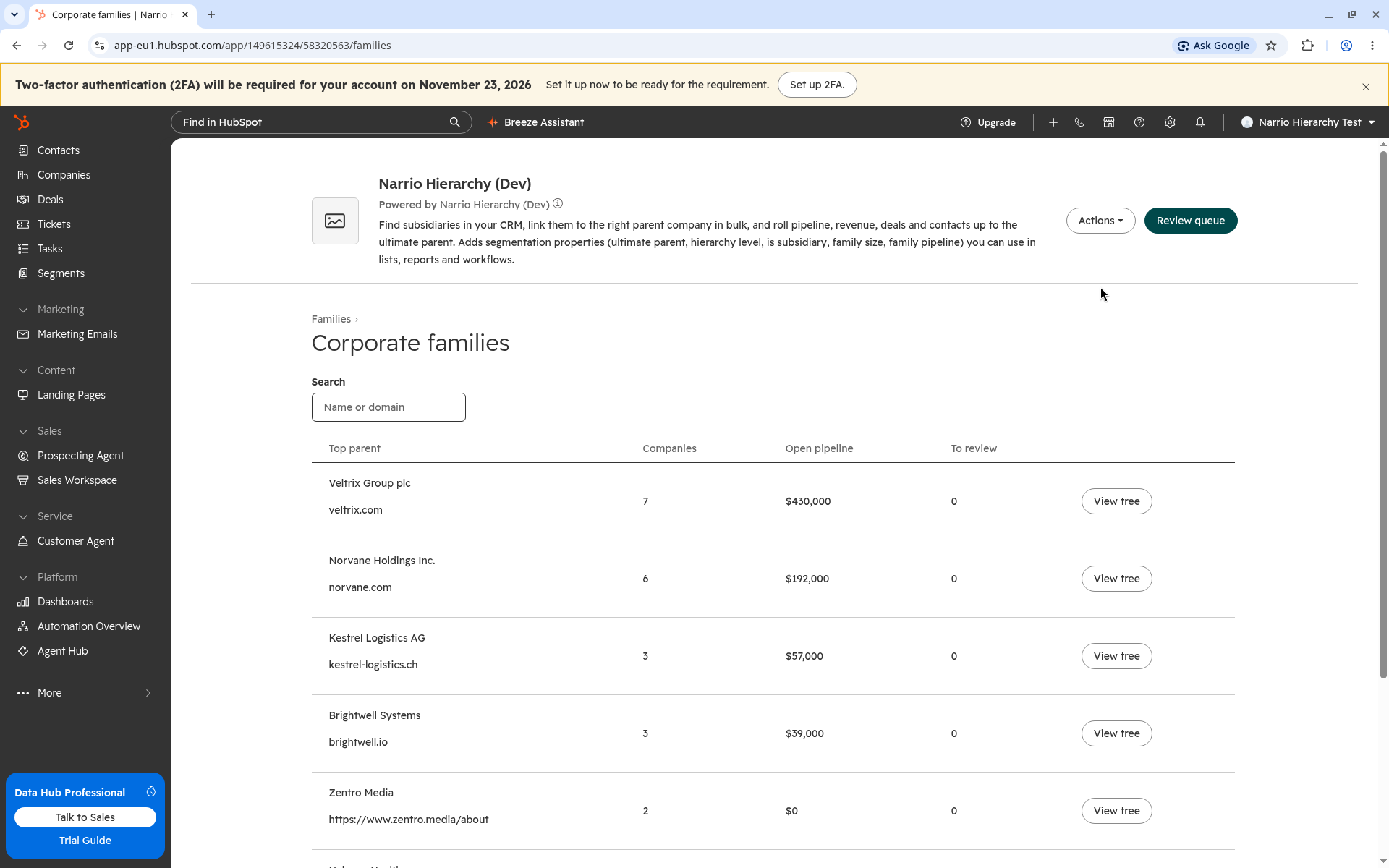
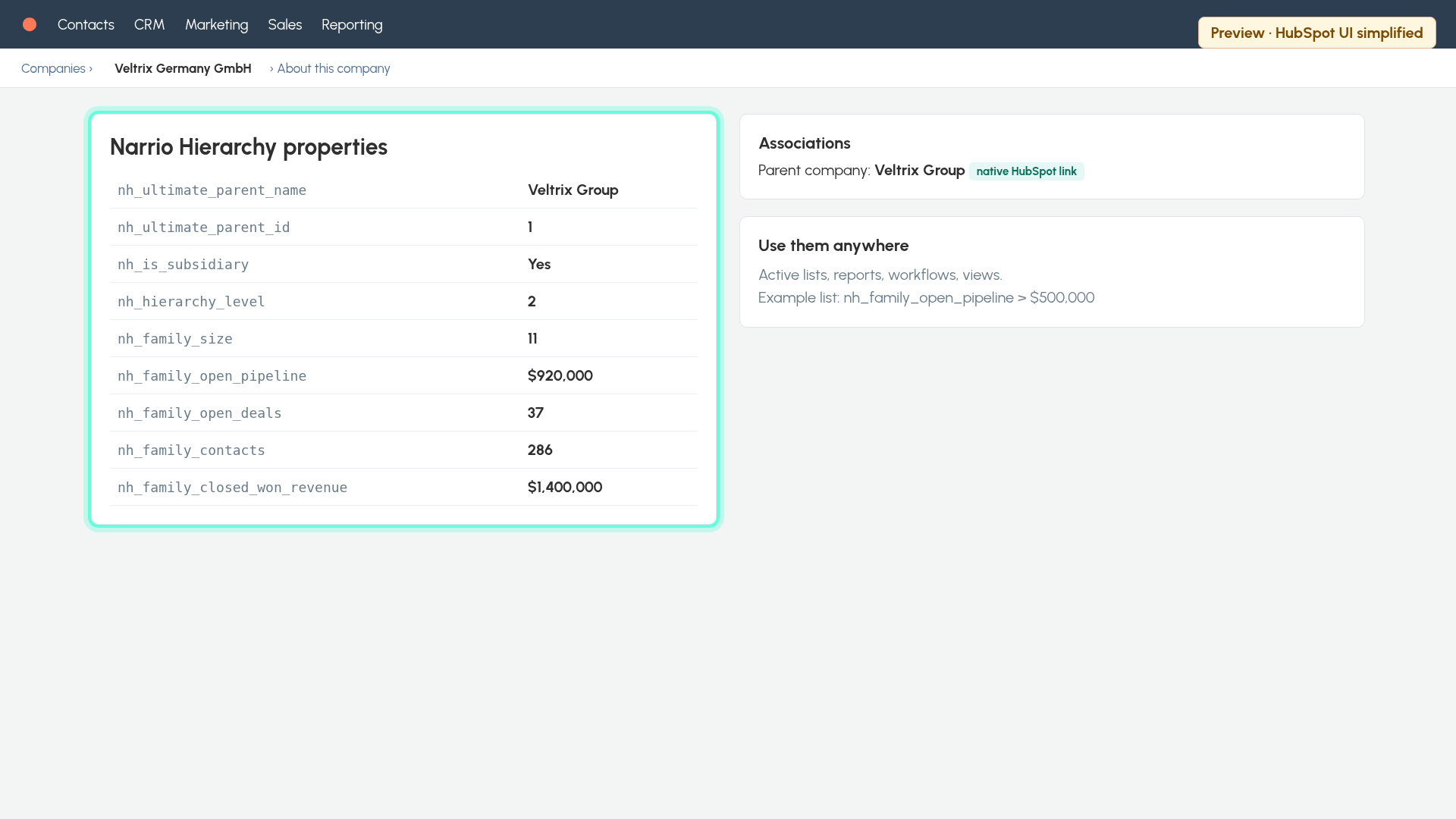
- Revenue for the whole familyOpen pipeline, open deals, closed won revenue and contacts roll up to the top parent.
What it checks
Rules first. AI only for the unclear pairs.
Most matches come from domains and names. A rule decides those for free.
1Subdomainsuk.acme.com sits under acme.com.View checks
- Subdomain of an existing company. Scores 95%
2Root and country domainsacme.de and acme.com end up in one family.View checks
- Same website or root domain with a regional name. Suggested parent
- Same brand on another country ending. Suggested parent
3Names“Acme Germany GmbH” matches “Acme”.View checks
- Legal and regional name variants. Suggested parent
4Links you already haveExisting parents stay unless you replace them.View checks
- A company with a different parent gets a lower score. You decide
5Unclear pairsA second check by AI, with a reason you can read.View checks
- Only company names, domains and countries get sent. Nothing stored on the AI side
6Family rollups9 company fields you can use in lists and reports.View checks
- Ultimate parent, hierarchy level and family size. Per company
- Family open pipeline, open deals, closed won revenue and contacts. On the top parent
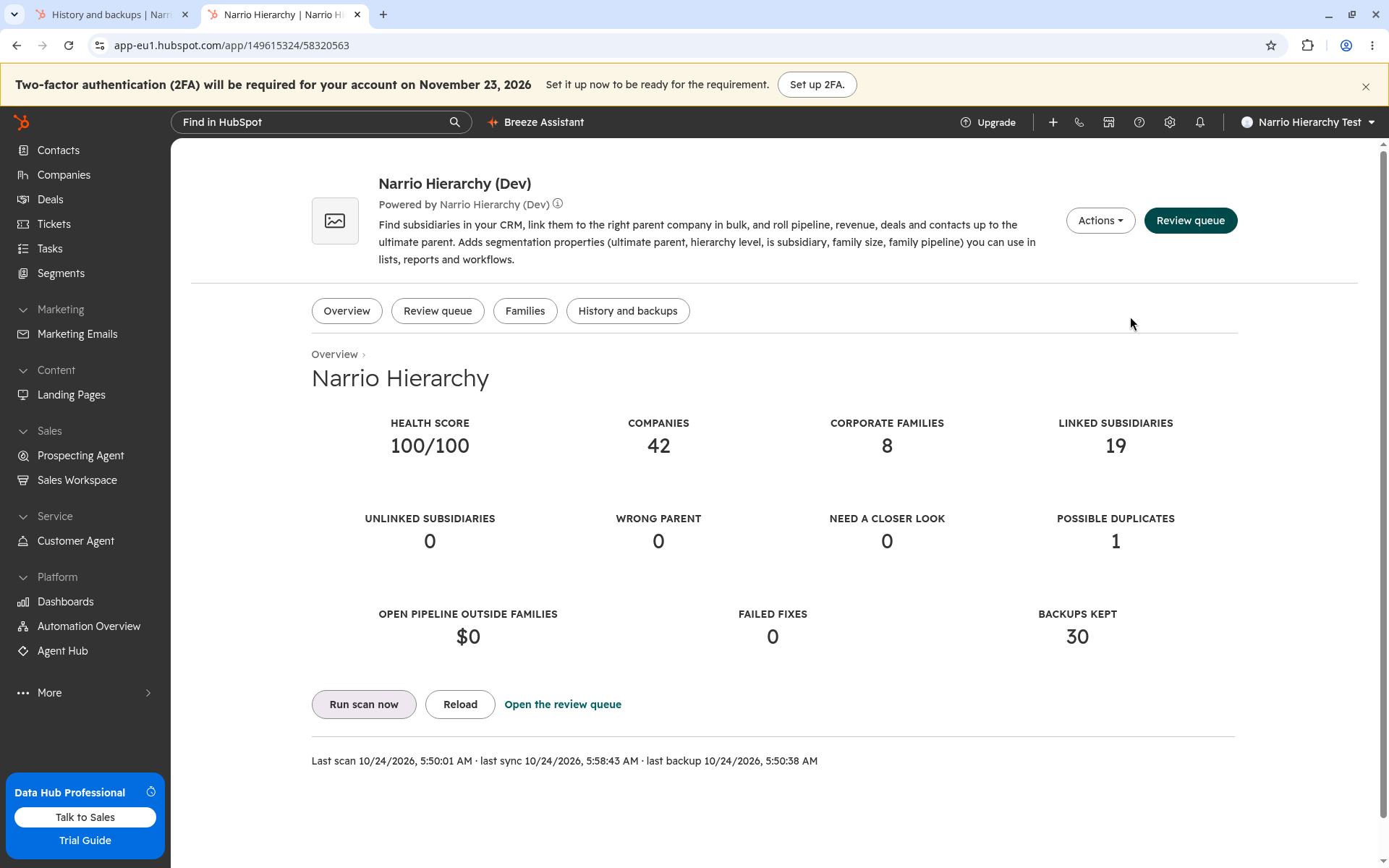
How it works
3 steps. Nothing gets written until you approve.
- 1

Install and approve
Open the install link, pick your HubSpot account and approve access. The first scan starts with a backup.
- 2

Review suggested links
Each row shows child, parent, score and reason. Approve the right ones. Dismiss the rest.
- 3

Approve and the family rolls up
Links go into HubSpot’s Parent Company field. Deals and contacts roll up to the top parent.